
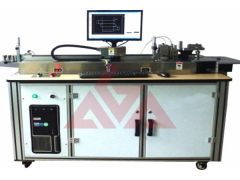

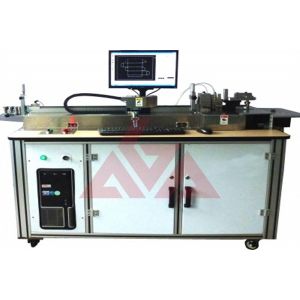
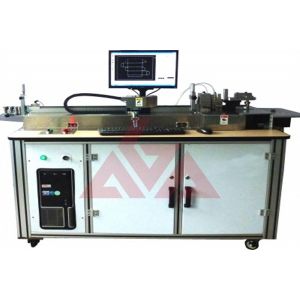
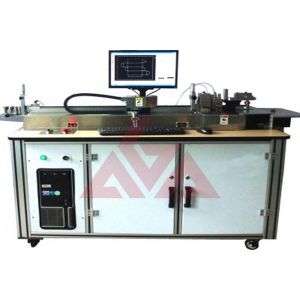


Product introduction:
AGA-C Model Auto Bender Machine is operated by Auto Bender Manager, a professional driving program withartificial intelligence and standard Windows style. The users can finish almostany work on the computer.
Auto Bender Machine has the strongest plotting function among all autobender driving software. It is not worse than professional CAD plottingsoftware. Users can edit graphics easily in Auto Bender Manager.
Material Form: Roll ,Strip(1000mm)
Specification: (7 ~ 30) × (0.45 ~ 0.71)mm,1.07× 23.80mm
File formats : dxf、dwg、nc、abd
Weight : 480kg
Measurements : 160 × 60 × 130cm
Power: Three-phase four lines AC 380V+/-5% 50Hz
Air pressure: 0.5 ~ 0.8MPa
Technical Data:
|
Capability |
Thickness |
|||
|
0.45mm |
0.53mm |
0.71mm |
1.07mm |
|
|
Max bending angle |
95 ° |
95 ° |
90 ° |
90 ° |
|
Min 90 ° bending radius |
1.0mm |
1.0mm |
1.0mm |
1.5mm |
|
Min head end length |
1.5mm |
2.0mm |
2.5mm |
3.0mm |
|
Min tail end length |
1.5mm |
2.0mm |
3.0mm |
3.5mm |
 Bending
  Bridging
 Cutting
  Liping
High usability, highefficiency
1. It supports several document formats such as dwg, dxf, nc, abd. It also supports network file transfer.
2. Excellent for bending rules for cartons and complicated graphics.
3. It controls blade length precision automatically and it is not necessary to edit compensation length manually. You don’t have to test the blade again and again; just one bend and you will have what you want.
4. Multi-task design: Users can open several graphics documents at the same time and put several figures together bending. Latency time is reduced.
5. Using flow working ,which makes higher work efficiency.
6. Auto Bender Manager is similar to AutoCAD. All users of AutoCAD can use Auto Bender Manager easily.
Inexperienced users can use simulation bending function provided by Auto Bender Manager to avoid operation errors
Safety &Expertise
1. The program can control the working speed automatically when operation line corner, arc corner, cutting or overlong figures etc., and in the procession of working, the users can choose “stop”, “emergency stop” and “step by step” to guarantee safety.
2. Auto Bender Manager can optimize itself automatically when dealing with intersection, tangency, connection, break point, etc. and users can eliminate ill tangency or ill connection in the drawings by pre-setting.